
Logo QR Code Design Mistakes - 9 Critical Errors Destroying Your Scan Rates
Avoid 9 critical QR code logo design mistakes that destroy scan rates and waste marketing investments. Learn professional techniques to fix common errors with beautiful, scannable designs.
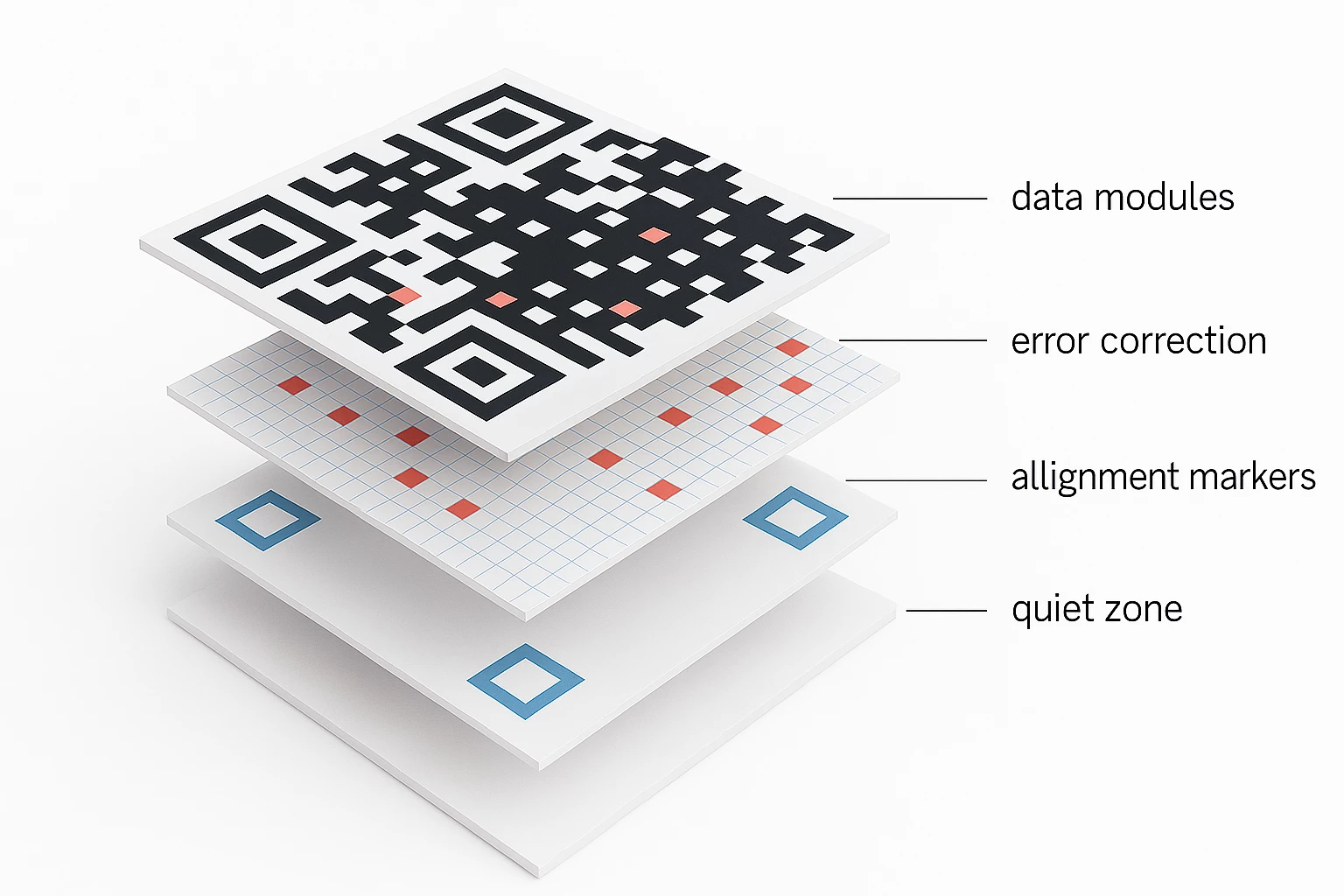
Even perfectly positioned logos can fail if overall QR code design violates fundamental scannability principles. Our free QR code generator with beautiful customizable frames helps avoid these nine critical mistakes that destroy scan rates and waste marketing investments.
Mistake 1: Oversized Logos That Break Scannability: The most common and destructive error involves logos covering more than 30% of total QR code area. While QR codes support up to 30% error correction, this represents absolute maximum tolerance not recommended practice. Logos exceeding safe thresholds obscure essential data patterns that cameras need to decode information.
The Fix: Limit logos to 15-20% of total code area for optimal reliability across all smartphone models and scanning conditions. Our platform's visual guides indicate safe sizing ranges and warn when approaching scannability limits. If brand recognition requires larger logos, increase overall QR code size rather than enlarging logos within fixed dimensions.
Mistake 2: Insufficient Contrast Between Elements: Low contrast between QR patterns, backgrounds, and logos prevents smartphone cameras from distinguishing essential elements. Light gray patterns on white backgrounds, or dark patterns on black backgrounds, create recognition failures regardless of logo quality.
The Fix: Maintain minimum 40% luminosity contrast between QR code patterns and backgrounds. Dark patterns (black, navy, dark brown) work best on light backgrounds (white, cream, light gray). Our contrast analyzer automatically evaluates color combinations and provides warnings before download.
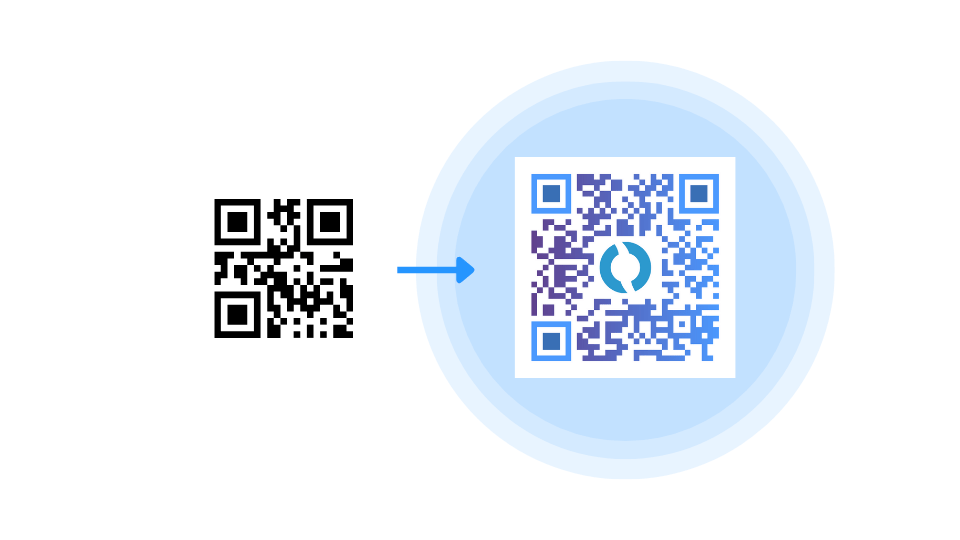
Mistake 3: Covering Corner Positioning Markers: The three distinctive squares in QR code corners (finder patterns) enable smartphone cameras to orient, align, and measure codes. Logos, text, or design elements that obscure these critical markers cause complete scanning failures.
The Fix: Position logos exclusively in QR code centers, leaving corner squares completely unobstructed. Our intelligent positioning system enforces safe zones that prevent corner coverage automatically. Never manually adjust logo positions toward code edges or corners.
Mistake 4: Ignoring Quiet Zone Requirements: QR codes require white space borders (quiet zones) surrounding patterns for proper camera recognition. Logos, frames, or background graphics that extend into quiet zones interfere with code detection. Cameras may fail to identify QR codes entirely when quiet zones are compromised.
The Fix: Maintain minimum 4-module-wide quiet zones (empty space) around all QR code edges. Our platform automatically includes proper quiet zones in all downloads. Beautiful frames are positioned outside quiet zones, adding visual interest without technical interference.
Mistake 5: Complex Logos With Thin Lines: Intricate logo details including thin lines, small text, delicate patterns, and complex gradients become illegible when scaled to fit QR code dimensions. Cameras struggle to distinguish logo elements from surrounding QR patterns, creating visual confusion that reduces scannability.
The Fix: Use simplified logo versions specifically designed for QR code applications. Remove taglines, fine details, and complex elements while maintaining core brand iconography. Monochrome logo variations often work better than full-color originals.
Mistake 6: Poor File Quality and Resolution: Low-resolution, pixelated, or compressed logo files undermine professional presentation and may interfere with scanning. JPEG compression artifacts create noise around logo edges that cameras misinterpret as QR code patterns.
The Fix: Upload high-resolution PNG files with transparent backgrounds at minimum 300 DPI. SVG vector logos provide infinite scaling without quality degradation. Our platform accepts both formats and automatically optimizes output.
Our platform's high-resolution output and contrast validation help prevent device-specific failures. Beautiful frames enhance codes without adding technical complexity that might reduce compatibility across different smartphone models and scanning applications.